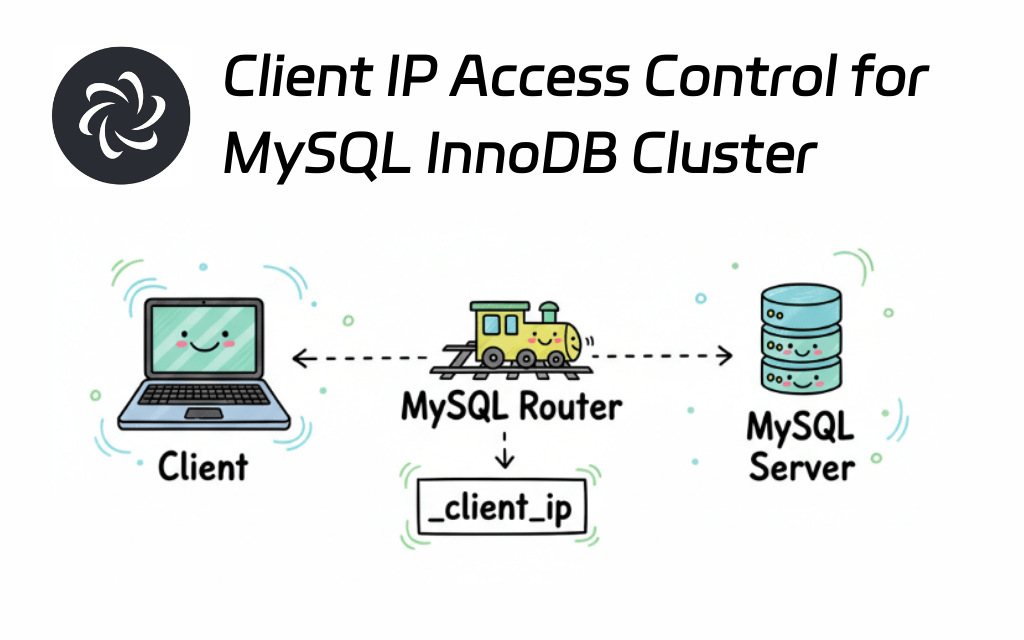
In a MySQL InnoDB Cluster architecture, application servers typically access the backend databases through MySQL Router. This architecture introduces the following challenges:
- IP Address Loss: The Router, acting as a proxy layer, means the database only sees the Router's IP address and cannot obtain the real client IP address.
- Proxy Protocol Unsupported: MySQL Router does not support the Proxy Protocol, preventing the transmission of real client information.
- Access Control Dilemma: It becomes impossible to implement precise, user-level access control based on the real client IP address.
When there is a need to restrict specific users to specific IP ranges when accessing MySQL, it cannot be done directly based on the client IP on the MySQL side. For example: Allow userAonly from the 192.168.1.%network (same network as the MySQL Router) and deny access from the 10.%network. Even using a system firewall can only control at the IP layer and cannot identify the user at the application layer.
Solution
Core Idea
Utilize MySQL Router's connection attribute injection feature to inject the real client IP address into the connection attributes when a client connects. Then, on the database side, use init_connectto trigger an access control check.
⚠️ Warning: Attribute Injection Issue in SSL Mode
- Expected Behavior: According to the official MySQL Router documentation, the default value for
client_ssl_mode(PREFERRED) should allow the_client_ipconnection attribute to be attached normally. - Actual Test Results: Testing revealed that when
client_ssl_modeis set toPREFERREDorREQUIRED, the_client_ipconnection attribute is not injected. The attribute is only successfully attached whenclient_ssl_modeis explicitly set toDISABLED. - This behavior seems to contradict the official documentation and is suspected to be a bug in MySQL Router.
Testing Process
1. Environment Information
# Test Environment Configuration
MySQL Server: 8.0.40+ (performance_schema enabled)
MySQL Router: 8.0.44
Network Topology:
- Router IP: 192.168.1.101
- Router Port: 6446
- Restricted Network: 10.0.0.0/8
- Restricted User: userA
2. MySQL Router Configuration Example
Modify the mysqlrouter.conffile on all Router nodes:
[routing:mgr_rw]
bind_address = 0.0.0.0
bind_port = 6446
destinations = 127.0.0.1:3306 # Replace with actual DB address in production
routing_strategy = first-available
# ⚠️⚠️⚠️ Note: SSL currently needs to be disabled. Expected to be fixed in a future version.
client_ssl_mode = DISABLED
Important Note: client_ssl_mode = DISABLEDis the key configuration to ensure successful connection attribute injection, although this may not align with the documented expected behavior.
Start the Router service. Clients connect to the MySQL Router.
-- Check if the connection attribute is injected correctly
SELECT * FROM performance_schema.session_connect_attrs
WHERE ATTR_NAME = '_client_ip';
3. Database-Side Access Control Implementation
Execute the following configuration on the MGR primary node; it will automatically synchronize to other nodes.
3.1 Create Security Monitoring Database and Stored Procedure
-- Create a dedicated database for security monitoring
CREATE DATABASE IF NOT EXISTS router_acl;

DELIMITER //

CREATE PROCEDURE router_acl.check_client_ip()
BEGIN
    DECLARE real_ip VARCHAR(50);
    DECLARE error_message VARCHAR(200);

    -- Extract the real client IP injected by the Router from connection attributes
    SELECT ATTR_VALUE INTO real_ip
    FROM performance_schema.session_connect_attrs
    WHERE PROCESSLIST_ID = CONNECTION_ID()
    AND ATTR_NAME = '_client_ip';

    -- Interception logic: Check if userA is connecting from the restricted network
    IF (CURRENT_USER() LIKE 'userA@%') AND (real_ip LIKE '10.%') THEN
        SET error_message = CONCAT('Access Denied: userA is NOT allowed from IP ', real_ip, ' (10.0.0.0/8) via Router');
        SIGNAL SQLSTATE '45000' SET MESSAGE_TEXT = error_message;
    END IF;
END //

DELIMITER ;
3.2 Permission Configuration
-- Grant execute permission to all users accessing via the Router
GRANT EXECUTE ON PROCEDURE router_acl.check_client_ip TO 'userA'@'192.168.1.%';
-- Also grant to other users to prevent connection failures
GRANT EXECUTE ON PROCEDURE router_acl.check_client_ip TO 'userB'@'192.168.1.%';

-- Note: init_connect does not trigger for users with SUPER privilege
-- Configure the global connection initialization script
SET GLOBAL init_connect = 'CALL router_acl.check_client_ip()';
4. Validation Tests
Test Scenario 1: userA access from 10.x network (Should be blocked)
# Execute on a machine in the 10.x network
mysql -u userA -p -h 192.168.1.101 -P 6446
# Expected Result:
# ERROR 45000 (45000): Access Denied: userA is NOT allowed from IP 10.x.x.x (10.0.0.0/8) via Router
Test Scenario 2: userB access from 10.x network (Should be allowed)
# Execute on a machine in the 10.x network
mysql -u userB -p -h 192.168.1.101 -P 6446
# Expected Result: Login successful
Test Scenario 3: userA access from 192.168.1.x network (Should be allowed)
# Execute on a machine in the 192.168.1.x network
mysql -u userA -p -h 192.168.1.101 -P 6446
# Expected Result: Login successful
5. Persistent Configuration
Add the following to the my.cnffile on all database nodes to ensure configuration persists after restart:
[mysqld]
init_connect = 'CALL router_acl.check_client_ip()'
Troubleshooting

%20(2048%20x%201000%20%E5%83%8F%E7%B4%A0)%20(3).png)

%20(2048%20x%201000%20%E5%83%8F%E7%B4%A0)%20(2).png)
